


Pearson+ | Study help & eTexts
4.7783.00 Reviews
App Specs
- Version
- 1.3.26
- Updated On
- License
- Free
- Downloads
- 500,000+
- Developer
- Pearson Education, Inc.
- Categories
- Education
- Platform
- Android
Screenshots
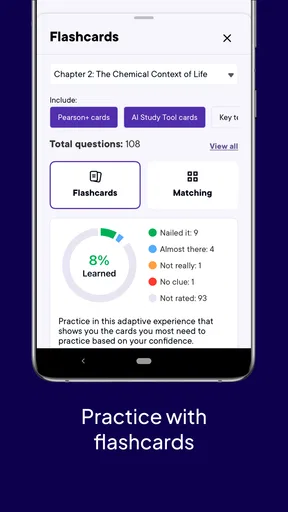
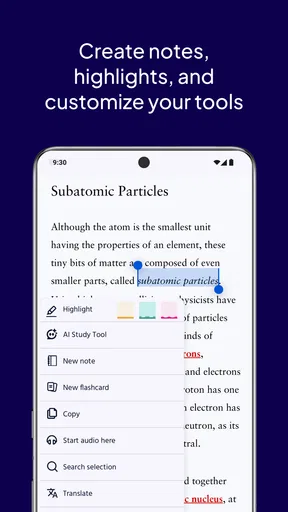
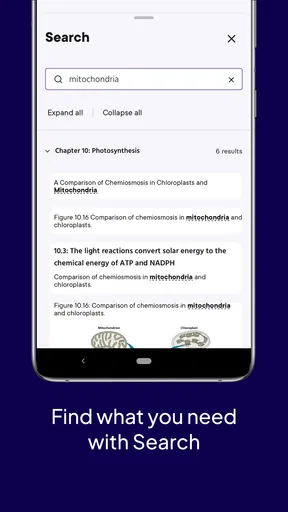
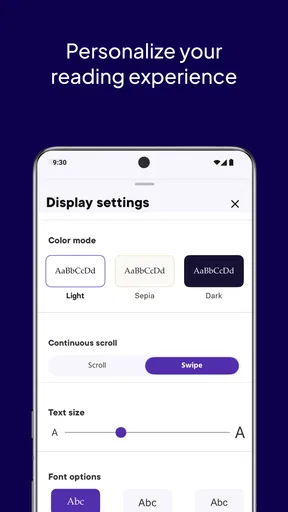
 Analysis by AppCompare
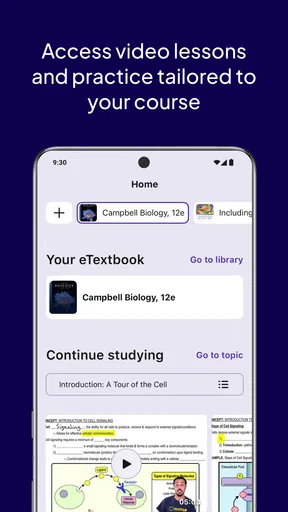
I started using Pearson+ with a simple question in mind: would it make studying easier when my time and attention were split between home, commuting, and everyday responsibilities? My answer is mostly yes, especially if I treat it as a focused study companion rather than a complete replacement for every learning tool. It brings Pearson learning materials into a mobile education app, which makes it useful when opening a laptop feels excessive or when I need to continue reading away from a desk.
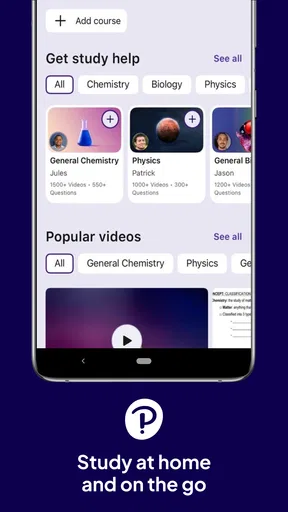
The app is developed by Pearson Education, Inc. and is available for free. It is aimed at an Everyone audience, so its general presentation is approachable for a broad range of learners. The store summary describes studying at home and on the go, and that is the central idea I experienced: Pearson+ is most valuable when it reduces the distance between a study plan and the moment when I actually have a few minutes to work.
How Pearson+ fits into a shared household
The most realistic household use is not everyone crowding around one screen. It is one person reading on a phone while another family member uses the television, a parent checking something on a tablet while a student studies nearby, or a learner taking advantage of a quiet bus ride before returning home. In those situations, a mobile reading and study app can be more practical than relying on a single shared computer.
I found that the biggest benefit of this arrangement is continuity. A student can move from a longer session at home to a shorter review period elsewhere without carrying a physical textbook. That does not make every study task comfortable on a small screen, but it does make it less tempting to postpone reading simply because the main study space is occupied.
There is also a useful distinction between shared devices and shared accounts. A household may share a tablet, but that does not mean every person should use the same Pearson+ identity. Personal study activity, reading position, and access to learning materials are easier to manage when each learner signs in with their own account. I would not treat the app as a family dashboard or a multi-student organizer; its value is individual study access, not household administration.
For a parent helping a teenager, the app can support a practical routine without turning the parent into a full-time supervisor. One person can agree on when the device is available, while the learner handles the actual reading. That arrangement works best when expectations are clear outside the app, because Pearson+ should not be mistaken for a built-in family-control system.
What the first setup should establish
Before handing a shared device to another learner, I would separate the practical boundaries from the academic ones. The practical boundary is simple: whose account is signed in, and who is expected to use it? The academic boundary is more important: is the learner reading independently, preparing for a class, or using the app alongside printed notes and teacher guidance?
Worth Reading Before You Choose

EA SPORTS FC Mobile 26 Is a Bigger Football Game, but It Takes Time

Flipboard Shows What News Apps Must Do Beyond the Feed

Switching to Android Auto Means Rethinking Your Driving Routine

Google Calendar Makes a Crowded Week Easier to Manage

Ludo King Makes the Most of the Minutes Between Plans

Baby Panda World Brings Quick Play to Modern Phones, but Its Game Library Feels Busy
That small conversation prevents a common mistake. A family can assume that installing an education app automatically creates a complete study environment. In reality, Pearson+ is better viewed as one part of the routine. It can put Pearson content within reach, but it does not remove the need for the learner to understand assignments, manage deadlines, or ask a teacher for clarification.
I also recommend setting up a quiet reading habit before judging the app. On a shared phone or tablet, interruptions can make any study experience feel worse than it really is. A learner who opens the app only during noisy, fragmented moments may conclude that mobile study does not work, when the real issue is the environment. Even a short uninterrupted block gives the app a fairer test.
Another useful boundary is deciding when a larger screen is preferable. Mobile access is excellent for reading a section, revisiting a concept, or making use of spare time. A laptop or physical book may still be better for extended writing, comparing several sources, or spreading notes across a desk. I see Pearson+ as a flexible second study surface, not a reason to abandon every other format.
Coordinating study without overcomplicating it
In a household, coordination often matters more than the app itself. If two people need the same tablet, a simple schedule can make Pearson+ feel dependable. A student might reserve the device for a longer evening session, then use a phone for lighter reading during the day. This is more realistic than expecting every study activity to happen in one uninterrupted block.
One workflow I found sensible is to divide work by purpose. I use a larger screen when I need to concentrate on a demanding chapter, then return to the mobile app for review when I have a smaller window. That separation helps me avoid forcing a phone to handle tasks it is not suited to handle. It also turns short periods into useful study time instead of treating them as too brief to matter.
Families should coordinate around account ownership as well. If a device is passed between people, signing out of one person’s account before another person begins is a basic but important habit. It reduces confusion about who is reading and avoids the awkward situation where one learner opens another learner’s material by mistake. I would especially make this routine on a tablet that stays in a common room.
For parents and guardians, the most helpful form of coordination is asking about progress rather than constantly checking the screen. Questions such as “Which section are you working on?” or “What do you need to understand next?” encourage ownership. Pearson+ can make resources easier to reach, but the learning still depends on the student doing something with those resources.
There is a trade-off here. A shared device can lower the cost and clutter of having several screens, but it introduces scheduling friction. A personal phone offers more independence, yet it also brings more distractions. I would choose the arrangement based on the learner’s habits, not on the assumption that one device model is automatically best.
Age, trust, and the limits of supervision
The Everyone content rating makes Pearson+ feel suitable for a wide audience, but age suitability and study readiness are not the same thing. A younger learner may be able to use the app comfortably while still needing help choosing what to read, understanding difficult material, and staying on task. The app’s broad age context should not be confused with a promise that every learner can use it without guidance.
For older students and adults, trust becomes more important than direct oversight. I prefer using Pearson+ as a resource that the learner controls, with the household agreeing on reasonable device rules. That approach respects privacy while still making room for support. It also reflects how academic work actually develops: learners eventually need to organize their own materials and decide when they need assistance.
I would be cautious about using a shared account simply because it appears convenient. Separate identities create cleaner boundaries between learners and make it easier for each person to maintain a personal study routine. If a family needs detailed progress monitoring, assignment management, or child-specific controls, I would look for a dedicated learning-management or parental-supervision solution alongside Pearson+, rather than expecting this app to provide those functions.
The trust question also applies to the content itself. Pearson+ is most useful when the learner already knows which Pearson materials belong to their course or study goal. A child browsing without direction may not know whether a resource matches their level or assignment. A parent, teacher, or tutor can add value by helping with that selection, even if they never touch the app.
Where it beats ordinary alternatives
Compared with carrying a physical textbook, Pearson+ is more convenient for a learner who moves between rooms, commutes, or studies in short sessions. A book is often easier on the eyes for long reading, and some people prefer writing directly on paper, but a mobile app removes the need to carry a heavy volume everywhere. That convenience can be the difference between reviewing a section and skipping it.
Compared with general web searches, the app offers a more purposeful starting point for Pearson-based study. Searching the open web can produce explanations of uneven quality, unrelated results, and distracting detours. Pearson+ is better when I already want to work with Pearson learning material rather than collect random explanations. The limitation is that it is not a universal answer engine for every subject or every question.
Compared with note-taking apps, Pearson+ is not primarily a blank workspace. A note app gives me more freedom to build my own system, combine sources, and write extensive summaries. Pearson+ is stronger when the immediate need is access to study content itself. I often see the best result in combining the two: read in Pearson+, then capture a concise explanation or question in a separate notebook.
Compared with video-first learning platforms, the app suits learners who want to read at their own pace. Video can make a difficult idea feel approachable, but it also imposes a presentation speed and may encourage passive watching. Reading lets me stop, reread, and decide which sentence deserves attention. On the other hand, anyone who needs demonstrations, spoken explanations, or interactive practice may find a video or course platform more engaging.
Practical strengths that are easy to overlook
The first non-obvious strength is how well the app supports a “small session” mindset. I do not need to reserve an entire evening to make progress. A short reading interval can be useful if I begin with a specific target, such as one section or one concept. This works particularly well for commuters and students who have unpredictable schedules.
The second is the value of keeping the main material close to the learner’s normal device. People often imagine that motivation is the main obstacle, but friction matters too. If the textbook is in another room, inside a bag, or unavailable while someone else uses the computer, the study decision becomes easier to delay. Pearson+ reduces that particular barrier for its supported materials.
The third is the way it can divide attention between home and travel without requiring a completely different study method. I can use a focused desk session for difficult work and reserve mobile time for reading or revisiting material. The trade-off is that this only works if I deliberately choose the right task for the right setting; trying to do every kind of academic work on a phone quickly becomes tiring.
A fourth insight is that shared-device households should treat sign-in habits as part of study organization, not as a minor technical detail. The app may be free to install, but a careless account arrangement can create confusion between family members. Establishing separate use from the beginning is easier than untangling mixed routines later.
Finally, the app’s usefulness depends heavily on content fit. Pearson+ makes the most sense when Pearson materials are already relevant to the course, exam preparation, or independent learning plan. If the learner mainly needs open educational resources, creative writing tools, language conversation, or live tutoring, another app may offer a better center of gravity.
Friction I noticed during regular use
Mobile reading is not automatically comfortable. Long chapters can feel cramped on a phone, and a learner who prefers printed pages may lose concentration sooner. I would test the app on the device that will actually be used for studying, not just on a large tablet borrowed for a few minutes. The experience can change significantly with screen size and the surrounding distractions.
There is also a mental cost to studying on a device used for entertainment and messaging. Even when Pearson+ itself is focused, the phone remains a phone. A learner who struggles with notifications may need a separate study routine, a quieter device setting, or a larger screen. This is not a flaw unique to Pearson+, but it affects whether the app succeeds in real life.
The free price is appealing, yet “free” should not be read as “every learning resource is automatically included for every person.” The practical value comes from access to relevant Pearson material and from how that material fits the learner’s needs. I would decide after checking whether the app supports the specific study path I intend to follow, rather than installing it solely because there is no upfront charge.
I also would not choose Pearson+ as the only tool for a student who needs intensive interaction. Learners who depend on live feedback, collaborative problem-solving, spoken practice, or detailed progress reports may need additional services. Pearson+ can sit inside that setup, but it should not be asked to perform every educational role.
Who should use it and who should skip it
I would recommend Pearson+ to students who already work with Pearson content, people who want study material available across home and travel, and families trying to make one shared device more useful without turning it into a complicated household system. It is also a good match for readers who prefer self-paced text and appreciate being able to fit study around ordinary routines.
I would be less enthusiastic for someone who wants a complete course platform with built-in personal coaching, extensive collaboration, or a strong emphasis on interactive exercises. I would also hesitate if the learner dislikes reading on screens or has no clear connection to Pearson materials. In those cases, a physical textbook, a specialized practice app, a video course, or a tutor could provide a better experience.
For younger users, I would recommend adult involvement at the planning stage, even though the app is rated for Everyone. The adult does not need to monitor every minute. It is enough to help choose suitable material, agree on device boundaries, and check that the learner understands how the app fits into schoolwork. For independent adults, that same planning can be done personally in a few minutes before starting.
The app has earned a 4.7 average from around 13 thousand ratings, with over 500 thousand installs, which suggests that many people find the basic idea useful. I read those figures as evidence of broad interest rather than a guarantee that it will suit every course or household. The real test is whether it removes friction from the learner’s actual routine.
Version, device expectations, and everyday fit
Pearson+ was released on June 29, 2021, and the current version is 1.3.26. It requires iOS or Android 9 or later, so anyone using an older device should check compatibility before building a study plan around it. That requirement is modest for many current phones and tablets, but older household devices can still be the exception.
In my view, compatibility is only the first check. The more meaningful questions are whether the device has a comfortable screen, whether the learner can use it without constant interruptions, and whether the account arrangement is clear. A technically compatible phone may still be a poor study device if its battery, storage, or notification habits make regular reading frustrating.
For a shared tablet, I would keep the setup simple: one learner at a time, clear account boundaries, and a predictable place to study. For a personal phone, I would use Pearson+ for targeted reading rather than pretending every assignment should be completed there. This division makes the app feel like a practical part of the household instead of another source of digital clutter.
My household verdict
Pearson+ works best when a household sees it as an accessible doorway to Pearson learning material, not as a substitute for planning, teaching, or family communication. I like the way it supports study away from the desk, especially when a learner has only a short window available. The free entry point and broad Everyone rating make it easy to consider, while the mobile format keeps the learning routine flexible.
My recommendation comes with clear boundaries. Use separate accounts when multiple people share a device, agree on who uses the screen and when, and match the app to the learner’s actual Pearson-based needs. Keep a laptop, printed book, notes, or another learning service available when the task demands more space or interaction. The strongest reason to choose Pearson+ is not that it replaces every study tool, but that it makes the right study material easier to reach at the moment you can use it.
After reviewing it as an education app from Pearson Education, Inc., I would suggest it to a friend who wants a flexible reading companion and already has a clear academic purpose. I would not suggest installing it blindly for a child or a family and expecting it to organize the entire learning process. With sensible account boundaries and realistic expectations, it is a useful addition to a shared-device household; without those habits, its convenience can quickly become less important than the confusion around it.
Pros
- Offline downloads let you study without an internet connection.
- Adjustable font sizes and display settings improve reading comfort.
- Search tools make it easy to find terms
- pages
- and key sections.
- Bookmarks and notes help organize important textbook content.
- Available on mobile devices
- making study materials easy to carry.
Cons
- Access depends on having an eligible Pearson title or subscription.
- Some textbooks may have limited interactive or offline features.
- Large eText downloads can use considerable storage space.
- The app may feel slow when loading content on weaker connections.
- Subscription and textbook costs can be high for some students.
FAQs for Pearson+ | Study help & eTexts
What is Pearson+ | Study help & eTexts?
Pearson+ is a digital learning platform that gives students access to selected Pearson eTextbooks, study tools, and academic support features in one app. Depending on the title and subscription available in your region, you may be able to read course materials, search chapters, highlight passages, add notes, and review content from a phone, tablet, or compatible web browser.
Does Pearson+ include every Pearson textbook and course?
No. Pearson+ does not automatically include every Pearson publication or university course. Availability depends on the specific textbook, edition, subject, institution, country, and subscription plan. Before downloading or paying, search for your required title and confirm that the exact edition assigned by your instructor is supported, since access to a different edition may not match your course material.
Can I use Pearson+ offline?
Pearson+ may allow supported eTextbooks to be downloaded for offline reading, which is useful when traveling or studying without a reliable internet connection. However, offline access can vary by title, device, account status, and licensing rules. Some interactive features, synchronization, media, or study-help functions may still require an internet connection, so it is best to download content in advance.
How much does Pearson+ cost, and is there a free trial?
Pricing for Pearson+ varies according to the available plan, textbook selection, billing period, and location. Some users may see monthly or longer-term subscription options, while certain course materials may be purchased separately through an institution or course link. Trial offers and promotional pricing can change, so review the checkout screen carefully for renewal terms, taxes, and cancellation requirements.
Will my Pearson+ notes and progress sync across devices?
When you sign in with the same Pearson account and use a supported version of the service, reading progress, highlights, bookmarks, and notes may synchronize across compatible devices. Syncing is not always immediate and can be affected by connectivity, app updates, account differences, or title restrictions. If your annotations are important, allow the app to connect before switching devices or reinstalling it.


